See Molecules in 3D with Miew
Flat diagrams are fine for a quick sketch, but some structures only really make sense in three dimensions. Chirality, ring conformations, and steric clashes are all easier to understand — and to explain — when you can rotate the molecule yourself. That's what the Miew 3D module is for.
A real viewer, not a rendered picture
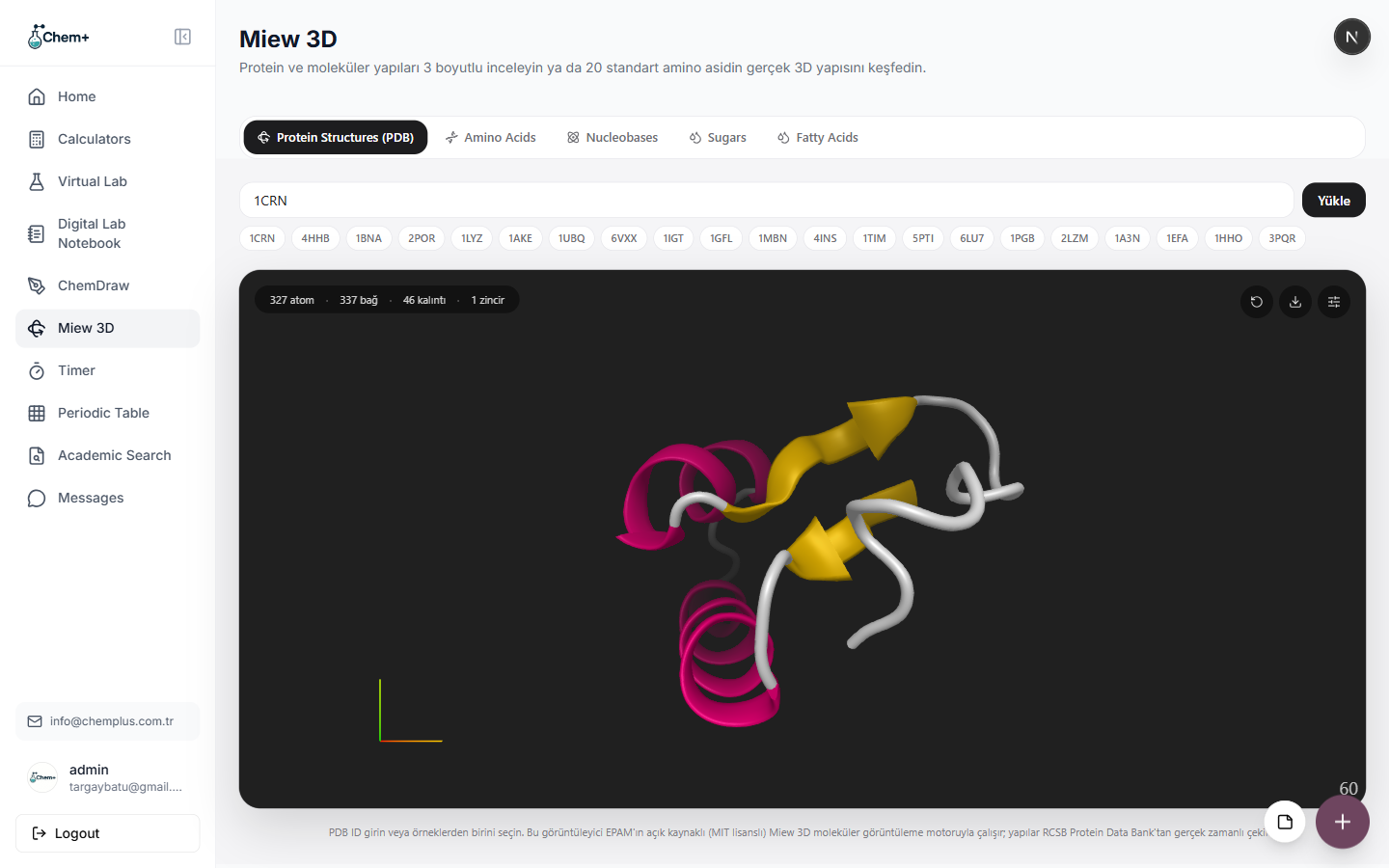
Miew 3D is built on EPAM's open-source Miew engine, so what you're looking at is a real molecular structure viewer, not a static rendered image. Load a structure by its PDB ID — or pick one of the built-in examples — then rotate, zoom, and switch between rendering styles to find the view that best explains what you're teaching or presenting:
- Cartoon for the overall fold of a protein, with helices and sheets colored distinctly.
- Ball-and-stick for seeing bonds and geometry clearly.
- Space-filling for a sense of real molecular volume and where atoms clash.
Beyond single molecules
The viewer isn't limited to small compounds — it handles proteins, amino acids, nucleobases, sugars, and fatty acids, so it's as useful in a biochemistry lecture as in an organic chemistry one.
It pairs with ChemDraw
The natural workflow is two modules working together: sketch a structure in ChemDraw, then open it in Miew 3D to check it from every angle before you commit it to a figure or a lecture slide. What looked fine in 2D sometimes tells a different story once you can turn it around.
Miew 3D is available on every Chem+ plan — we think understanding molecular geometry shouldn't be gated behind a paywall.