A Tour of Chem+'s 107 Chemistry Calculators
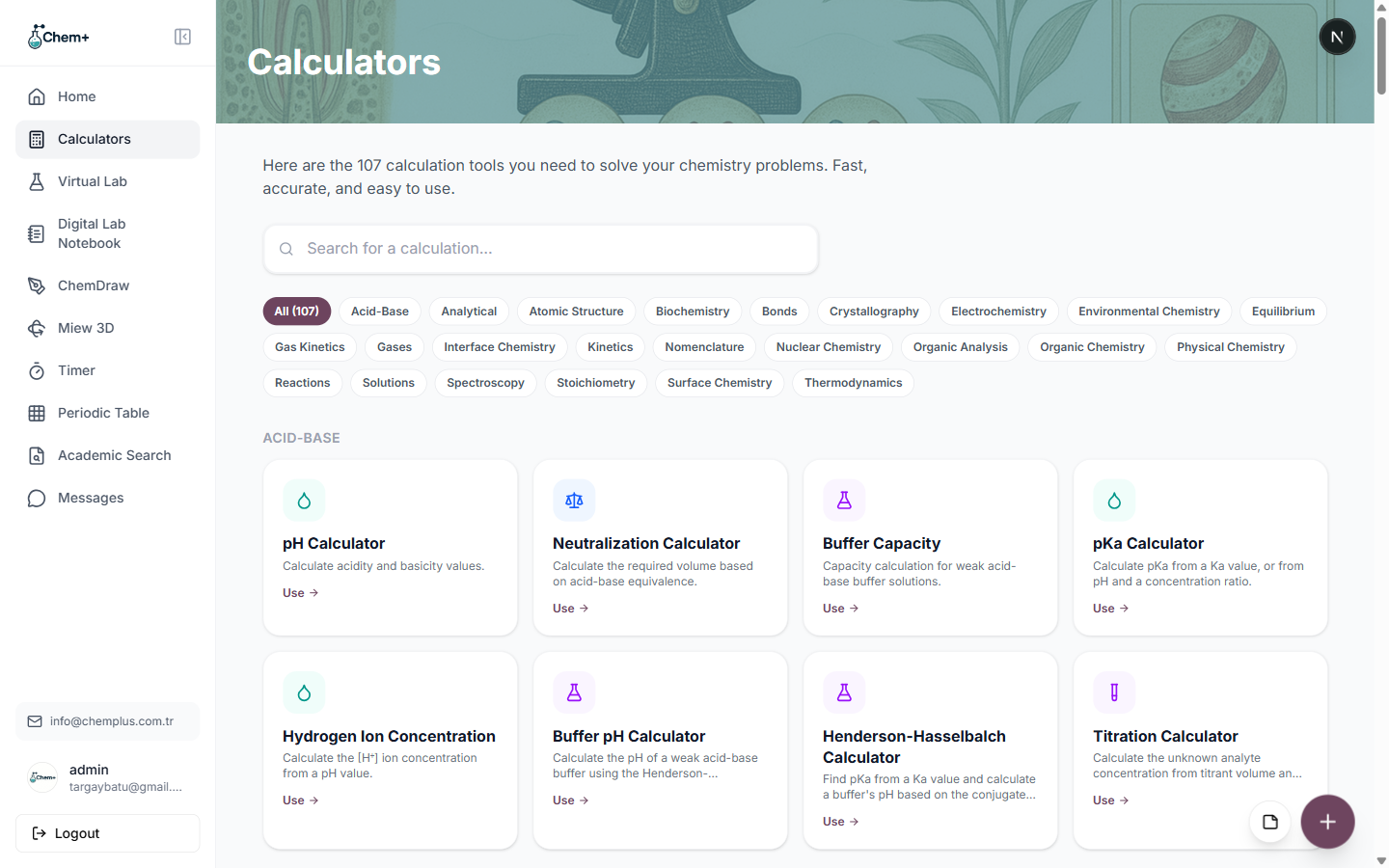
Open the Calculators page in Chem+ and the first thing you see is a single, quietly ambitious line: 107 calculation tools, one search box, a row of category filters. It's a lot to take in at once, so here's a guided tour of the neighborhoods — what's in each, and when you'd reach for it.
Stoichiometry: the everyday workhorses
This is the group you'll open most in a general chemistry course:
- Molar mass and moles.
- Limiting reagent and theoretical yield.
- Percent yield.
- Empirical and molecular formula.
If you're converting between grams, moles, and product amounts, it's in here.
Solutions: making and diluting
Everything around preparing a solution to a target concentration:
- Molarity and molality.
- Dilution — the C1V1 = C2V2 you'll reach for constantly.
- Concentration conversions between units.
Acid-Base and Equilibrium
For anyone working with pH and buffers:
- pH and pOH.
- Buffer capacity and Henderson-Hasselbalch.
- Titration helpers.
- Equilibrium constants.
Physical chemistry: the quantitative backbone
When the work gets more rigorous:
- Gas laws — ideal gas, combined gas law, partial pressures.
- Thermodynamics — enthalpy and entropy.
- Electrochemistry — cell potentials and related tools.
The specialized categories
Past the core, the library keeps going — Analytical, Crystallography, Kinetics, Spectroscopy, Nuclear Chemistry, Organic Analysis, Surface and Interface Chemistry, Environmental Chemistry, and more. Each is a filter on the Calculators page, so the specialized tool you need is one click from the category pill.
What makes the library more than a list
Two things. First, every calculator computes instantly — most update live as you type, with no submit button and no page reload. Second, because they share a dashboard with ChemDraw, the Digital Lab Notebook, and Academic Search, a result never dead-ends: copy it, export it as CSV or JSON, drop it into a figure as a label, or log it in your notebook next to the experiment it belongs to.
Browse the full set from Modules → Calculators, or search for exactly what you need from the homepage — and if you want the practical how-to, the companion guide on using the calculators walks through one end to end.