The 107 Calculators, Answered: 10 Questions Chemists Actually Ask

Whenever someone opens the calculator library for the first time, roughly the same ten questions come up. So rather than bury the answers in a help center, here they are in one place — direct, no marketing fog.
1. Are the calculators really free?
The core set is free on every account, including the Free plan — that's where the "107 calculators" you see everywhere comes from. You don't need a paid plan to start solving stoichiometry, solutions, and acid-base problems today.
2. Do I have to install anything?
No. Everything runs in your browser. There's no desktop app, no plugin, and no download — you open a calculator and it works, on a laptop or a phone.
3. How accurate are they, and can I trust the result?
Each calculator applies a standard, published relationship and shows you exactly which one in its "How It Works" panel. Because the formula and its assumptions are visible, you're never trusting a black box — you can check that the tool is doing what your method expects before you rely on the number.
4. Do they show the formula, or just spit out an answer?
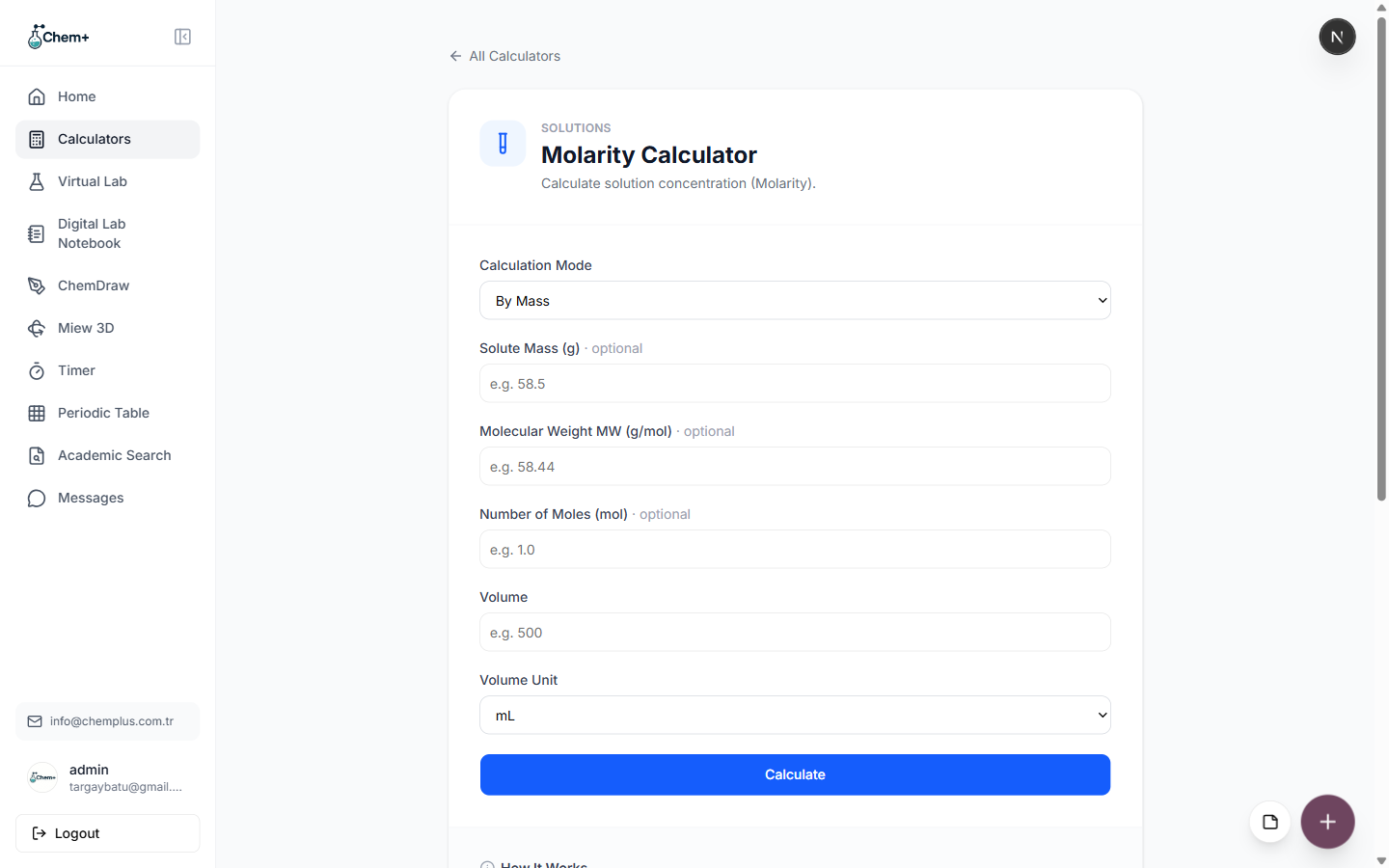
They show the formula. Most calculators include a "How It Works" section with the equation, the default assumptions (like the TDS conversion factor defaulting to 0.64), and the guard rails (like refusing to compute a physically impossible negative result). This is deliberate — a reportable number needs a defensible method.
5. Do I have to press a button, or does it calculate as I type?
Most calculators update live as you enter enough values, so you can watch the answer change as you adjust an input. A few use an explicit Calculate button. Either way there's no page reload and no waiting.
6. What if a calculator can solve for more than one variable?
Many have a Calculation Mode selector at the top. You choose which unknown you're solving for — for example, molarity by mass versus by moles — and the inputs adjust to match. Fields you don't need are marked optional.
7. Can I export or reuse the results?
Yes. Depending on the calculator you can copy the result or export it as CSV or JSON, and because the calculators share a dashboard with the rest of Chem+, you can drop a value into a figure as a label or log it in the Digital Lab Notebook next to the experiment it belongs to.
8. How do I find the right one out of 107?
Three ways: type its name in the search box on the Calculators page, filter by chemistry category (Acid-Base, Solutions, Stoichiometry, Gases, and so on), or search from the Chem+ homepage and jump straight to it.
9. What areas of chemistry do they cover?
Broadly, from intro to specialized: stoichiometry, solutions, acid-base and equilibrium, gas laws, thermodynamics, electrochemistry, plus categories like crystallography, kinetics, spectroscopy, nuclear chemistry, and surface/interface chemistry.
10. Who are they actually for?
Students checking homework and prepping for lab, QC and analytical chemists running the same routine numbers without drift, and researchers who need the physical-chemistry backbone on hand. The same library serves all three — it just meets you at whatever depth your work requires.
Still have a question that isn't here? Open Modules → Calculators and start with the search box — the fastest answer is usually the tool itself.